The Sandbox
The Sandbox is Menyr's terrain creation tool. You drop shapes, Menyr computes relief with erosion, water flow and vegetation.
It only applies to Open World boards: a Dungeon board has no terrain.
Opening the tool
Click the castle icon in the toolbar on the left side of the screen.
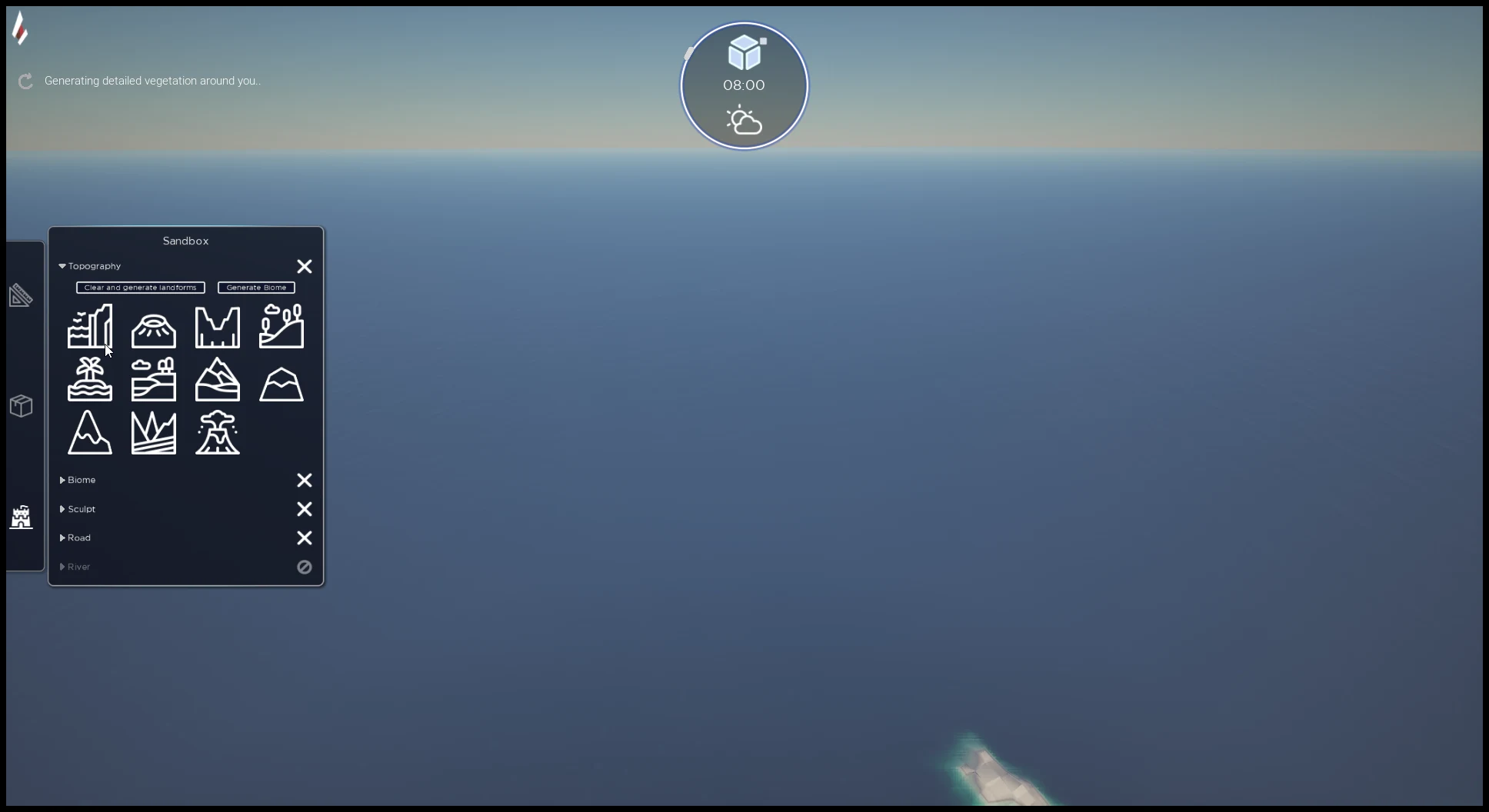
The panel opens on four collapsible sections.
| Section | What it does |
|---|---|
| Topography | Place the shapes of the relief, then run the computation |
| Biome | Repaint vegetation by hand |
| Sculpt | Reshape the terrain manually |
| Road | Place landmarks and connect them |
Topography: shaping the relief
Drag and drop a shape from the panel onto the ground, then adjust it with the gizmo.
Step by step:
- Expand the Topography section
- Drag and drop a shape onto the ground
- Move it with the gizmo, press
Rto switch to rotation or scaling - Repeat until you get the silhouette you want
- Click Generate Biome to run the computation
The Clear and generate landforms button starts over from a random generation: handy when you have no starting idea, or to wipe everything.
Generate Biome
This is the button that turns your shapes into detailed terrain, with its relief, water flow and vegetation.
Expect 2 to 3 minutes depending on your processor.
Biome: repainting vegetation
Once the terrain is computed, the Biome section lets you paint over what the generation produced: turn a patch of forest into a clearing, lay cobblestone along a path, clear ground for a village.
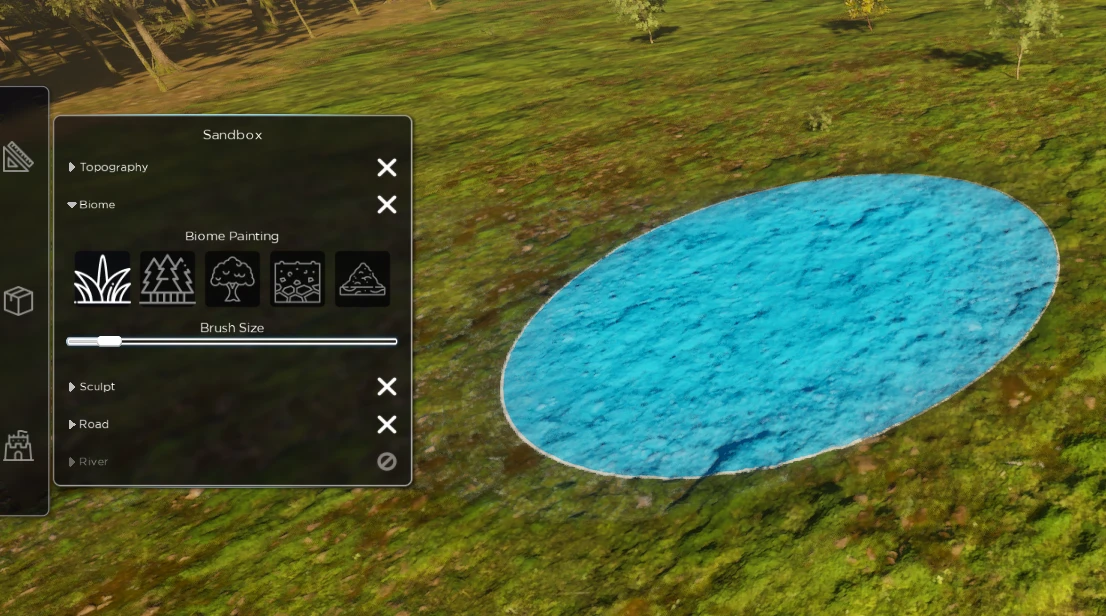
Five brushes are available: grass, conifers, broadleaf, cobblestone and sand. Pick one, then set the size with the Brush Size slider.
Sculpt: reshaping by hand
The Sculpt section is for finishing touches: digging a cave entrance, rounding an edge, flattening a build site.
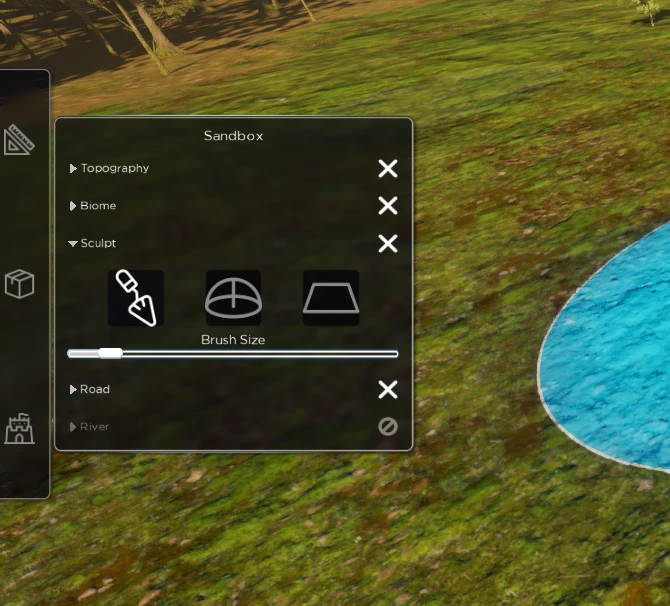
Three tools are available, with a brush size setting.
Sculpting makes your saves heavier
It is CPU-hungry and noticeably increases the size of your save files. For a major relief change, go back to your shapes in Topography and run Generate Biome again: it is faster and much lighter.
Road: tracing roads
The Road section places landmarks and connects them. Menyr computes the path from one point to the other.
The path is saved. To recompute it, move one of the two points.
Generation sizes
| Size | Area | Available |
|---|---|---|
| S | 1 km² | coming |
| M | 25 km² | coming |
| L | 100 km² | yes |
Today, only the 100 km² size is available.