Inviting your players
Inviting through Steam
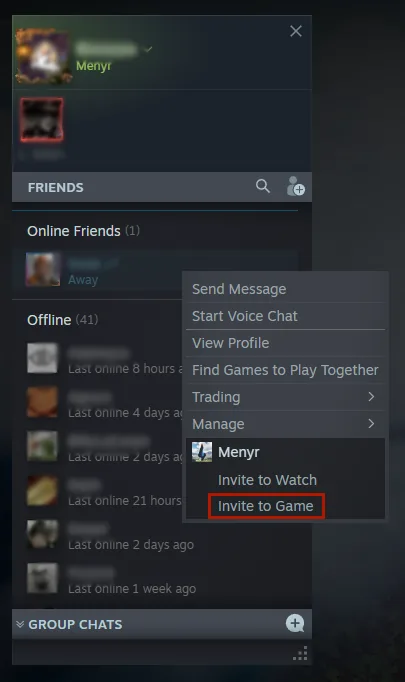
Load or create a map, then open the Steam overlay (Shift + Tab by default) and invite your friends by right-clicking their name in your list.
You can also join a friend's running session from that same list.
Menyr supports up to 16 players in a single session.
Seeing each other in multiplayer
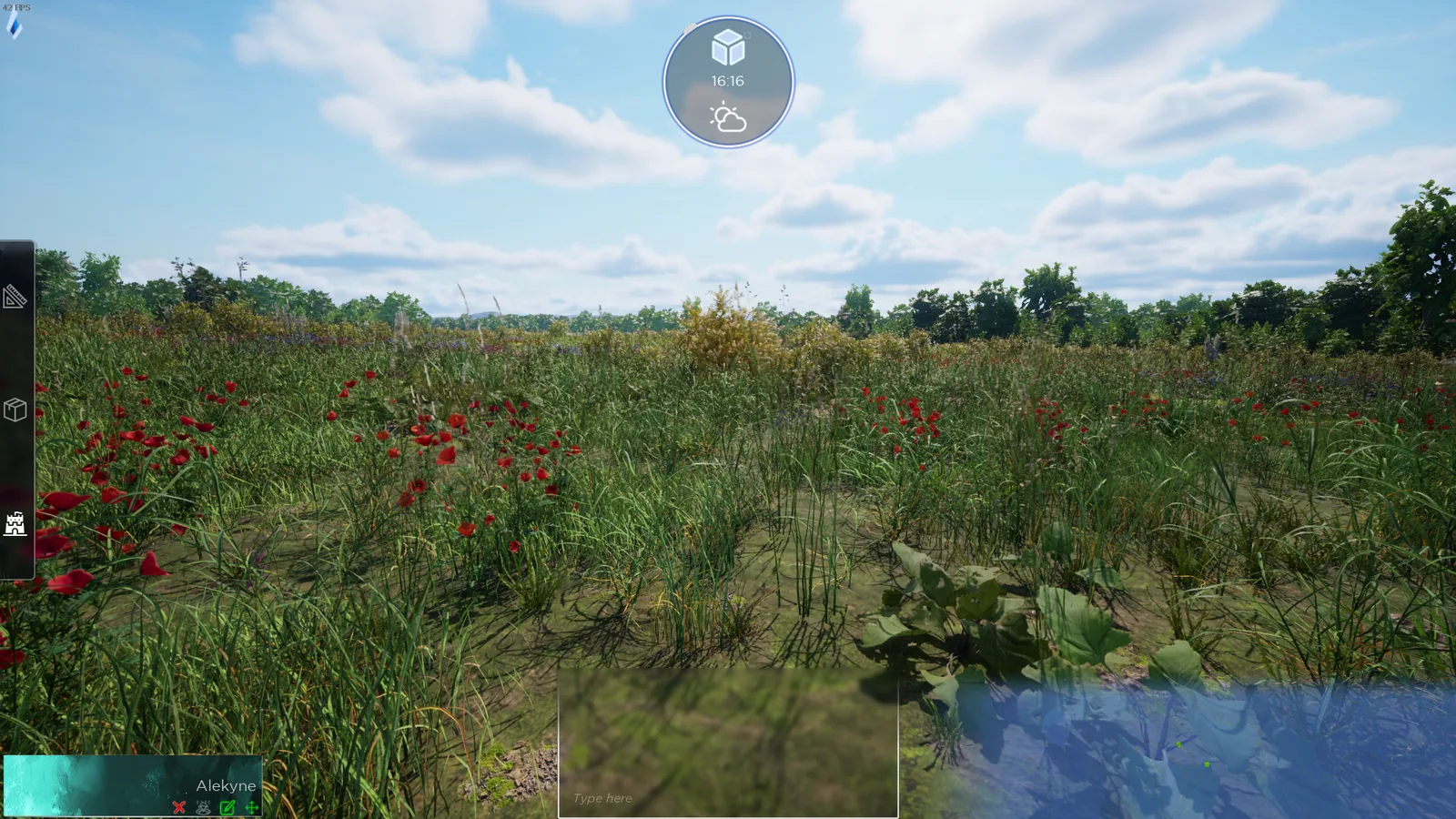
In multiplayer, you and your friends appear to each other like this, unless you've activated a first or third person view.
Table controls
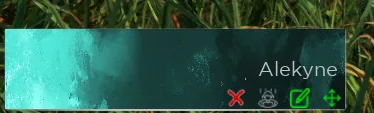
Your players' names and their settings sit in the bottom left of the screen. For each one you can:
- Kick them from the session
- Teleport them to you
- Allow or block their movement
Locking movement is useful to keep the group together during a scene, or to stop someone wandering off ahead of time.
Your PC hosts
There is no NOG server: the session runs on the game master's PC. Three practical consequences:
- If you leave, the session ends
- A machine that's comfortable for solo building may struggle with 16 players
- Your upload bandwidth matters, since you're sending the world to everyone
The first load
When a player joins, your map is transferred to them. On a busy world, they may see missing elements until the transfer completes.
Permissions
Fine-grained permission controls arrive in 0.9. Today, apart from movement locking, every participant can switch to build mode and edit the scenery. See Switching between building and playing.